Another Tip for Upcoming Earnings Analysis
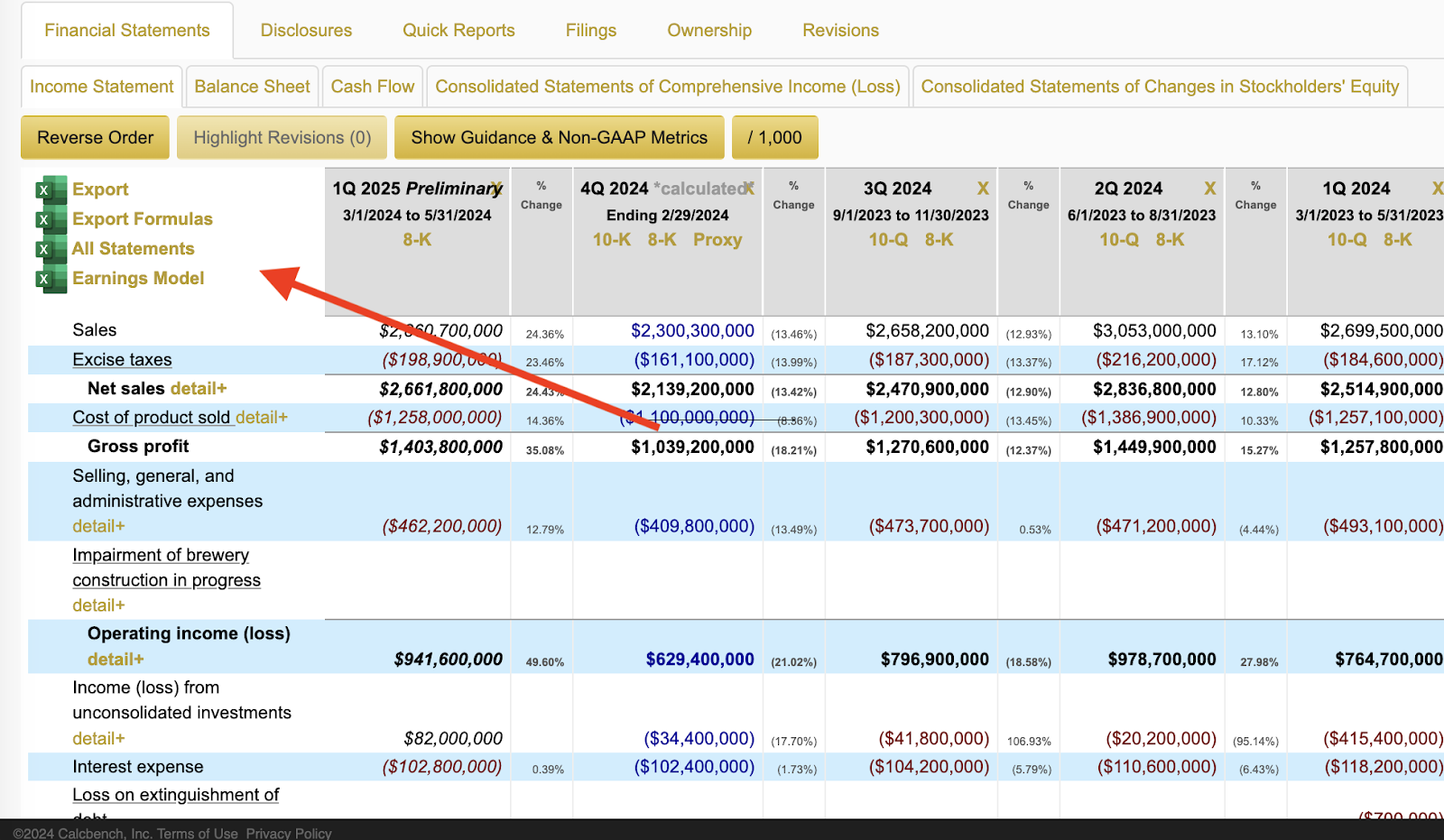
Calcbench is all about providing financial analysts with quick ways to find useful financial information, so in advance of all those Q2 earnings releases that will start to arrive next week, we offer one more. When looking at a company’s financial summary, look for the series of Excel export choices that Calcbench also provides. Usually you’ll see that as a list of Excel icons above the financial data, although sometimes those icons are stacked in a corner instead. For example, see Figure 1, below, which shows the latest quarterly data filed by beer and spirits giant Constellation Brands ($STZ) on Wednesday. Click on any of those icons, and in moments you’ll get reams of useful data ready to be exported to your desktop in Excel. You can then fiddle with that spreadsheet to your heart’s content, dump the data into other models and templates you already have, or do whatever else you want to do with the data. Moreover, when you view the data as a spreadsheet, you get muc...